Run a private AI server directly on your iPhone or iPad
February 23, 2026
Running AI locally on your phone or tablet is now practical for many workflows.
With ai.local, you can run models on-device and expose local endpoints compatible with both OpenAI-style (/v1) and Ollama-style (/api) clients.
This guide shows the fastest setup.
1. Check device requirements
For a good experience, use:
- iOS 18.2+ or iPadOS 18.2+
- Newer high-performance devices (for example iPhone 15 Pro, iPhone 16 series, iPad Pro M1/M2)
2. Install and prepare ai.local
- Install ai.local on the App Store.
- Open the app and choose a model that matches your device performance target.
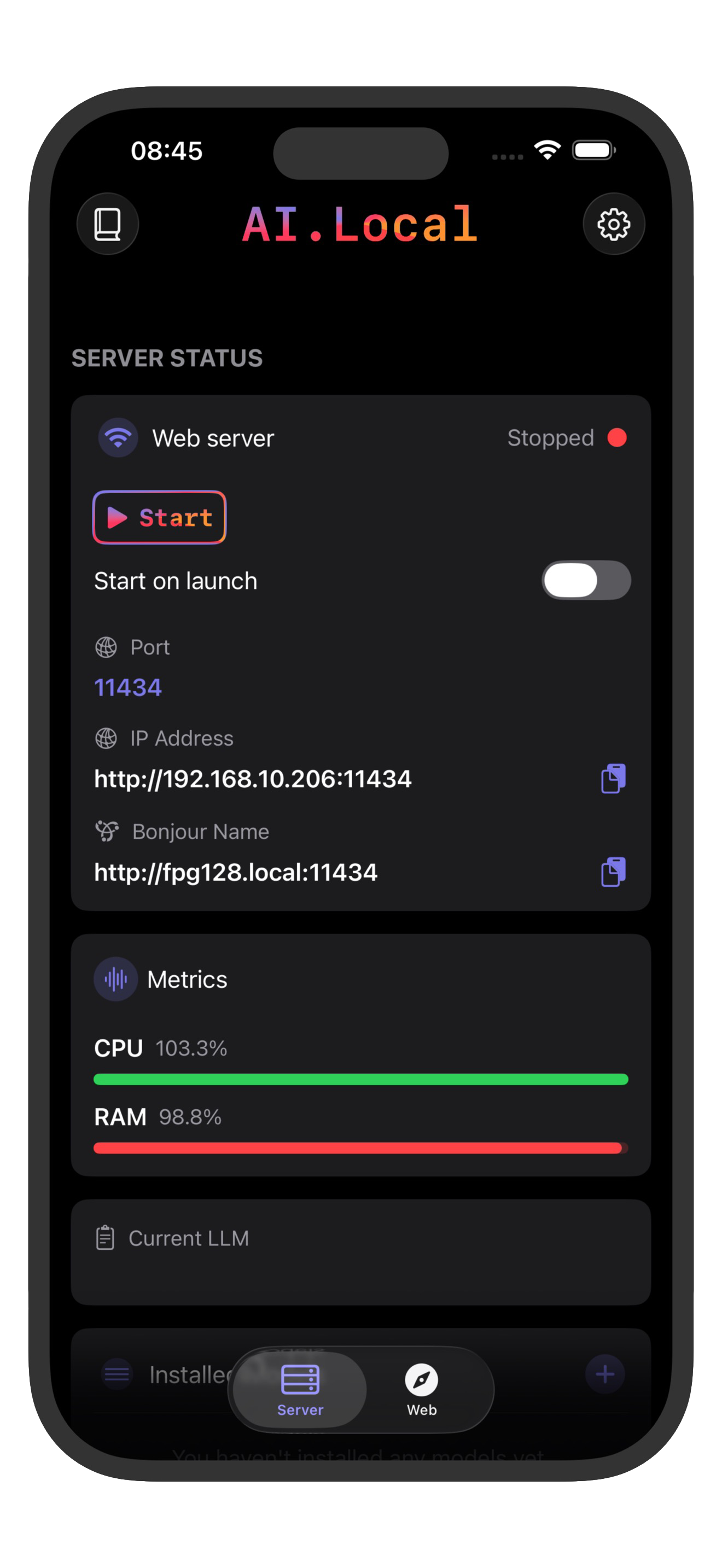
- Start the server in the app.
The server is exposed on your local network with:
- Default port:
11434 - Base URL format:
http://<iphone-ip-address>:11434 - LAN binding:
0.0.0.0
You can use either the device IP address or Bonjour host shown by the app.
3. Pick from famous LLM families
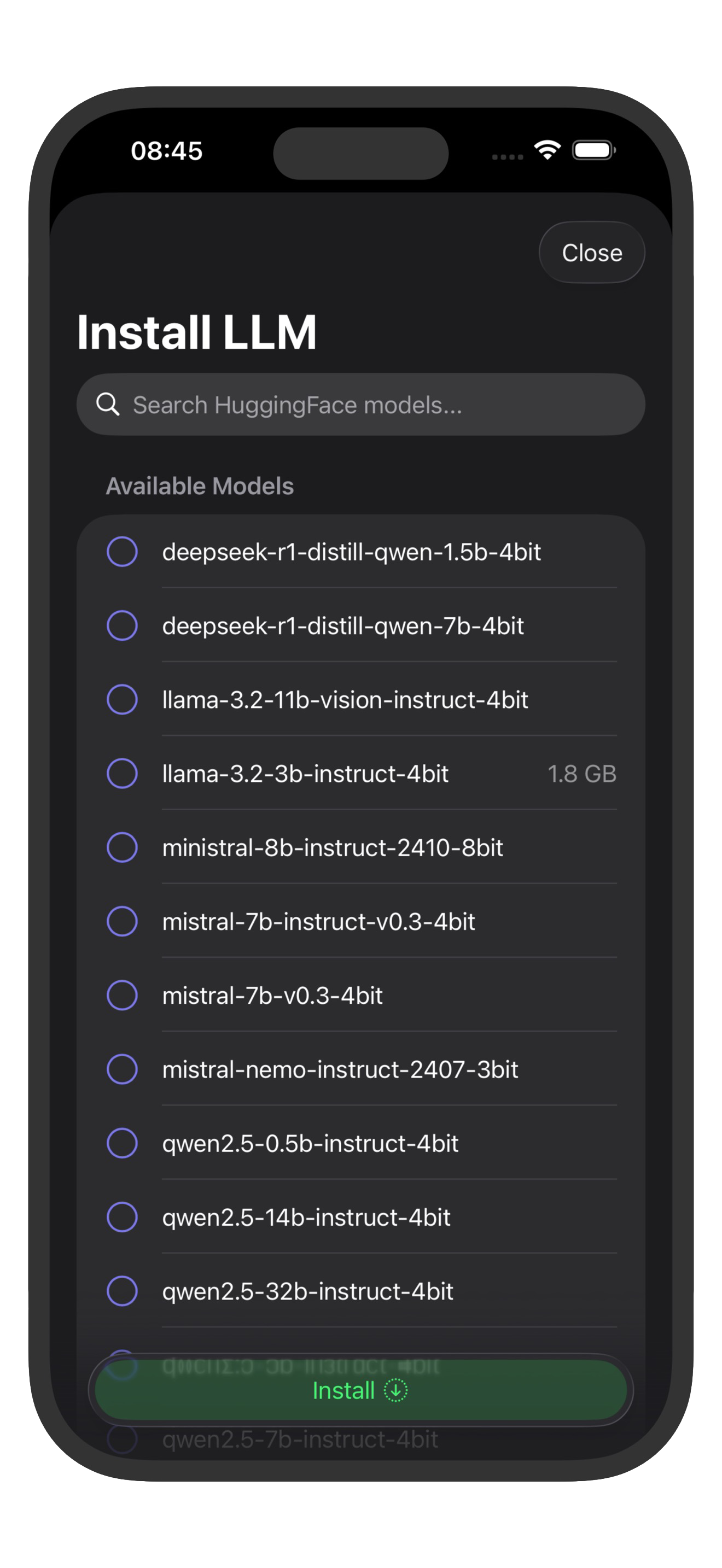
Popular model families to look for in ai.local:
- Llama 3.2 (for example 1B/3B Instruct)
- Qwen 2.5 (for example 1.5B/3B Instruct)
- Mistral 7B Instruct
- Gemma 2 (2B/9B)
- Phi-3.5 Mini
- DeepSeek distilled models (small variants)
On iPhone/iPad, smaller quantized models usually feel best for latency and memory.
If you are unsure what is installed, query the model list first:
curl http://<iphone-ip-address>:11434/v1/models
curl http://<iphone-ip-address>:11434/api/tags
4. Verify the server is up
From another device on the same network:
curl -I http://<iphone-ip-address>:11434/
curl http://<iphone-ip-address>:11434/status
Expected status response:
{
  "status": "Running",
  "message": "Server is currently running."
}
5. Use OpenAI-style endpoints (/v1)
ai.local supports OpenAI-compatible routes like:
GET /v1/modelsPOST /v1/chat/completionsPOST /v1/completionsPOST /v1/audio/transcriptionsPOST /v1/audio/speech
Example chat request:
curl http://<iphone-ip-address>:11434/v1/chat/completions \
  -H "Content-Type: application/json" \
  -H "Authorization: Bearer local-ai" \
  -d '{
    "model": "Llama-3.2-1B-Instruct-4bit",
    "messages": [{"role":"user","content":"Give me 3 tips to write cleaner Swift."}]
  }'
Notes:
- Authentication is not enforced by the server.
- If your client requires an API key, any non-empty value works.
- For
/v1model names, do not include themlx-community/prefix.
6. Use Ollama-style endpoints (/api)
ai.local also supports Ollama-compatible routes like:
GET /api/tagsPOST /api/chatPOST /api/generatePOST /api/show
Example Ollama-style chat request:
curl http://<iphone-ip-address>:11434/api/chat \
  -H "Content-Type: application/json" \
  -d '{
    "model": "Llama-3.2-1B-Instruct-4bit",
    "messages": [{"role":"user","content":"Write a short release note."}],
    "stream": false
  }'